
CAN Bus Resources
Practical guides for engineers working with CAN: bus load, troubleshooting, and how traffic behaves on a real bus.
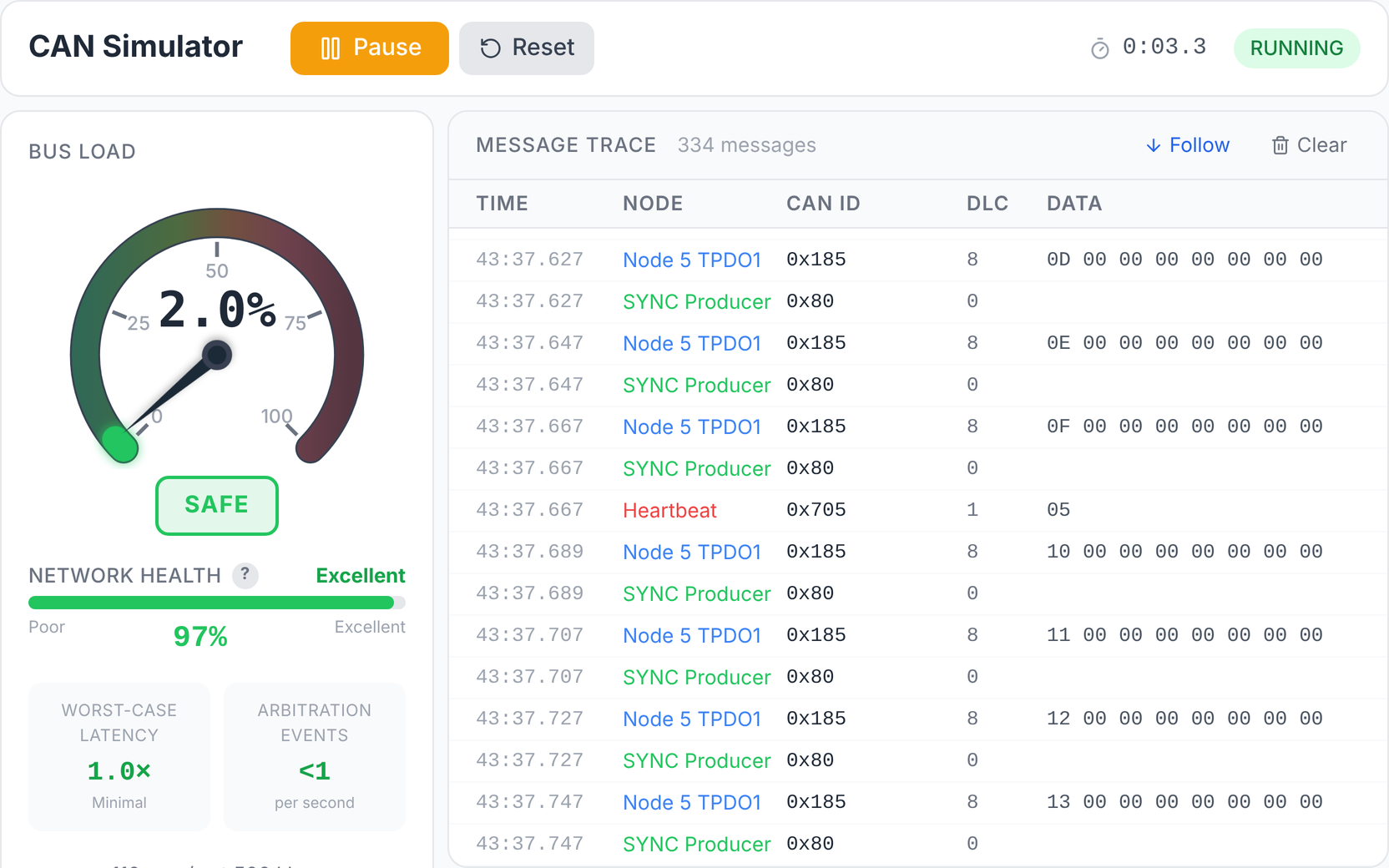
CAN Simulator
How CAN nodes share a bus: message timing, arbitration and what live bus traffic looks like.
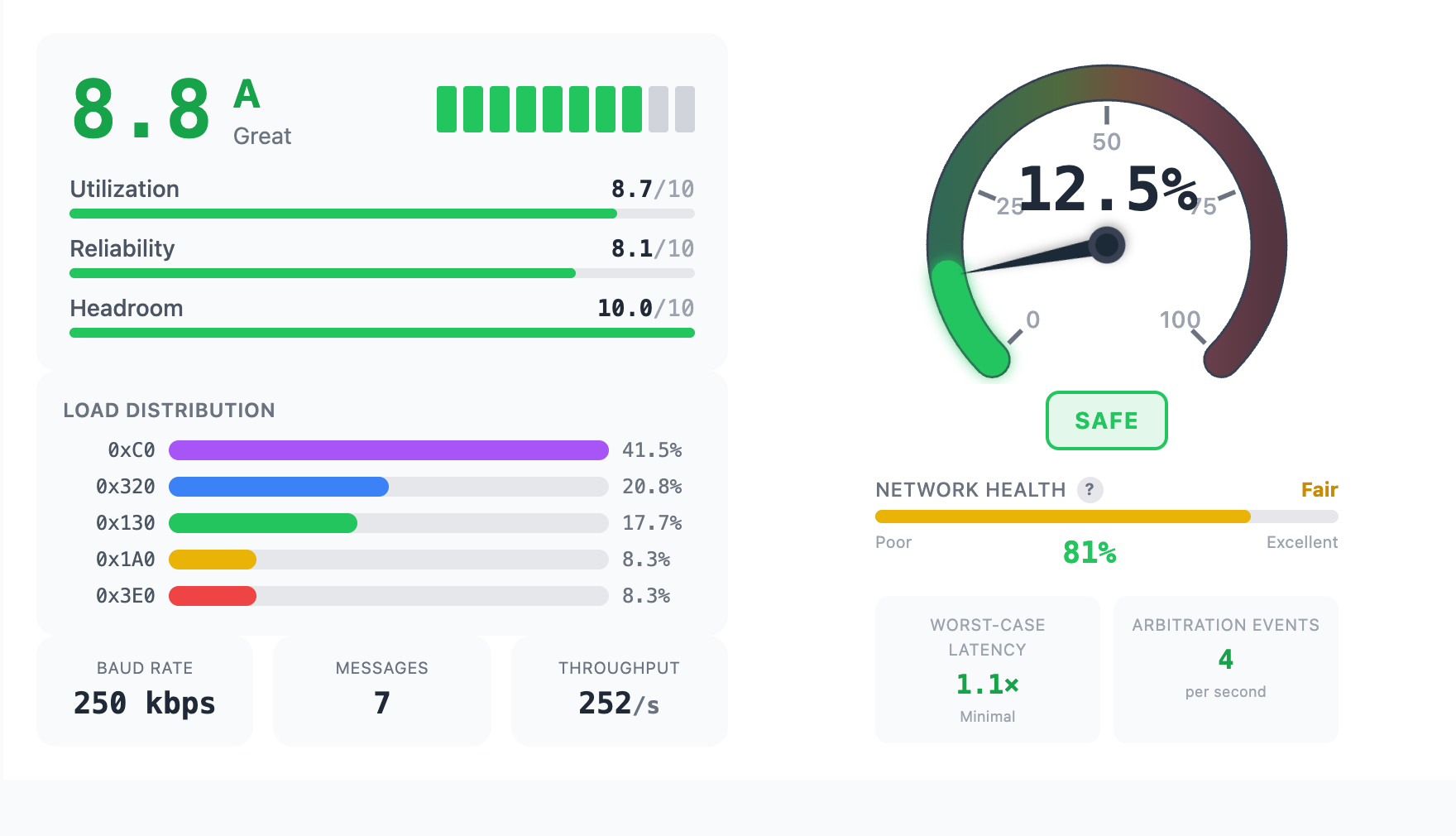
Bus Load Calculator
How to work out bus utilization and worst-case latency for standard and extended CAN frames.
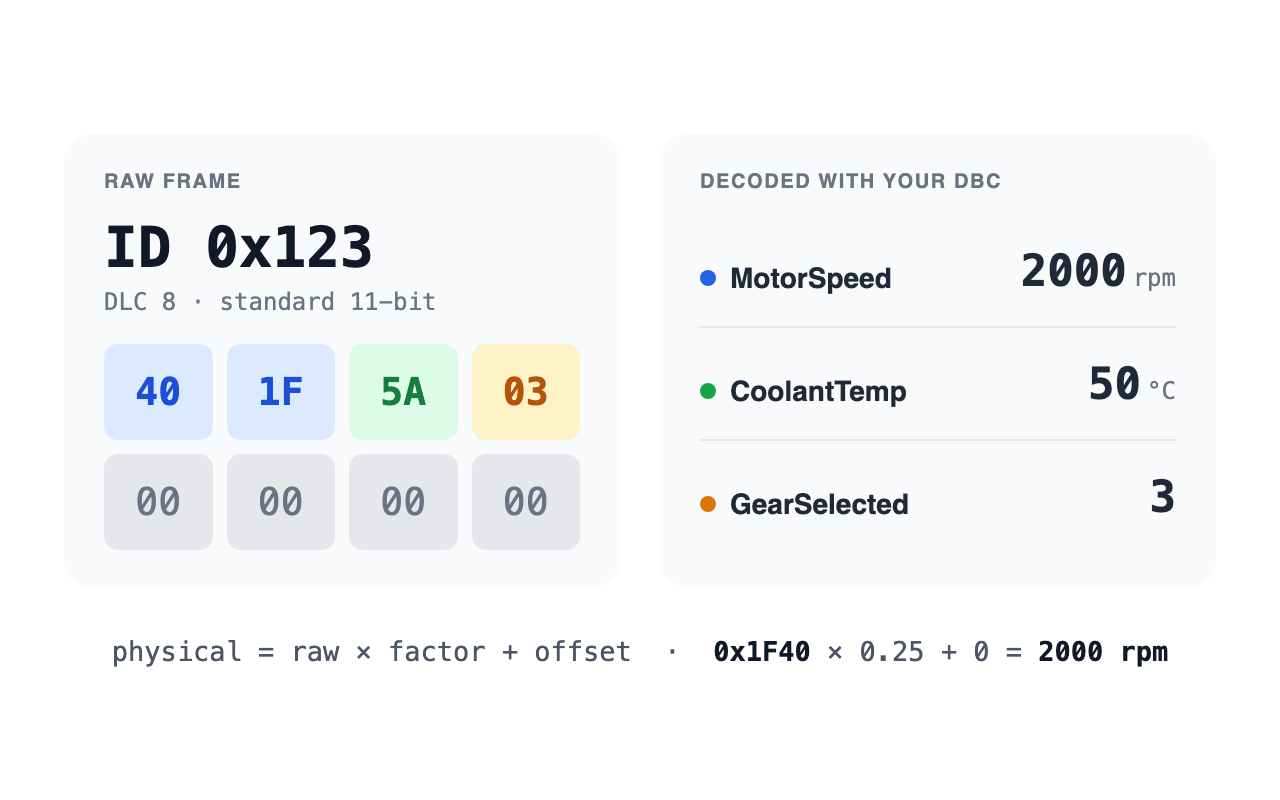
CAN Decoder
How to turn raw CAN frames into named signals with a DBC file: byte order, scaling and offset.
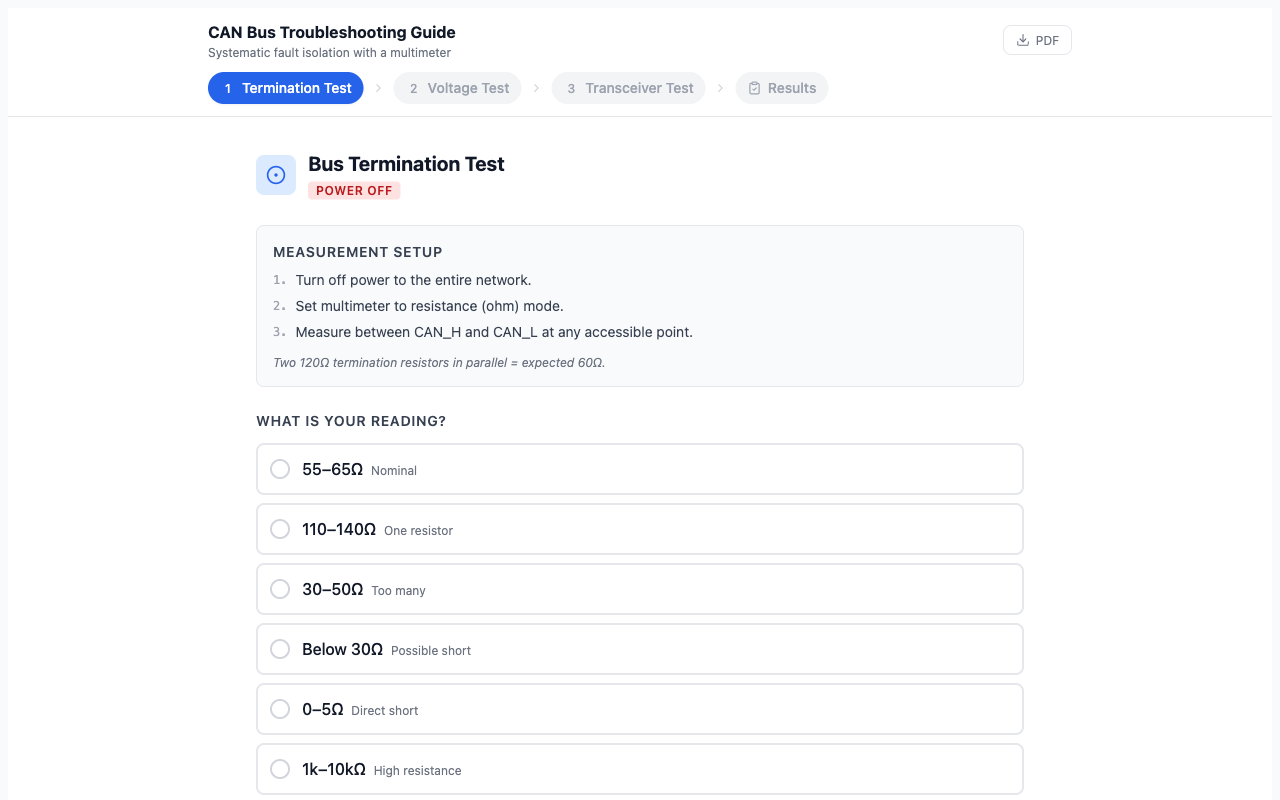
CAN Troubleshooting Guide
Step-by-step multimeter tests for termination resistance, CAN_H/CAN_L voltage levels, and node transceiver checks.
Written by CAN Bus Engineers
These guides come from real problems: validating bus load on a new ECU design, decoding raw frames against a DBC file, or isolating a dead bus with a multimeter.
CAN Bus Academy was founded by Igor Ramos, a CAN bus specialist with 10+ years at Caterpillar as a Technical Leader in embedded diagnostics. He holds 8 CAN-specific patents in fault detection, bus monitoring, and diagnostic protocol design.
Frequently Asked Questions
How do I calculate CAN bus load?
Add up the time each message occupies the bus per second and divide by one second. Each frame’s time is its bit count (including stuff bits) divided by the bit rate, and its rate is how often it is sent. Extended (29-bit) frames are longer than standard (11-bit) ones, so the same traffic loads the bus more. The bus load guide walks through it.
What is CAN bus arbitration?
CAN bus arbitration is the process that determines which node gets to transmit when multiple nodes try to send at the same time. Each node monitors the bus while transmitting its identifier bits. A node sending a recessive bit (1) that reads back a dominant bit (0) loses arbitration and stops transmitting, so the lowest identifier wins.
How do I troubleshoot a CAN bus with a multimeter?
With the bus powered down, measure resistance between CAN_H and CAN_L: about 60 Ω means both 120 Ω terminators are present. With it powered, check CAN_H and CAN_L against ground; both should sit near 2.5 V when the bus is idle. The troubleshooting guide has the full sequence.
Learn CAN Bus Properly
CAN Principles and Practice takes you from how the bus works to diagnosing real networks.